
A power strip on the floor is where desk clutter starts. Every cord on the desk has to reach down to it, the plugs collect dust, and the whole tangle is on show under the desk.
Move the strip to the underside of the desk and most of that goes away. The plugs are hidden, the cords only travel a few inches, and one cord runs to the wall. It's the single change that does the most for a messy desk, and it's a small job.
What you need
 Power strip with mounting tabsMade to be screwed in place, with a flat plugView on Amazon
 Under-desk cable trayHolds the strip without mounting it, and the spare cord tooView on Amazon
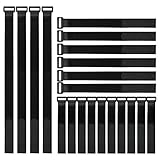 Reusable cable strapsBundle the slack once everything is plugged inView on Amazon
Start with the right power strip
Almost any strip can be forced under a desk, but one built for it makes the job easy and keeps it up. Look for these:
- Mounting tabs or screw slots. Tabs with screw holes are the most secure. Keyhole slots on the back also work.
- Widely spaced outlets. Power bricks are wide. On a cramped strip each one covers the outlet next to it.
- A flat plug. The one cord that goes to the wall should sit flush, so the desk can go right up against it.
- A cord long enough to reach. Measure from the wall outlet to where the strip will hang, not to the floor.
- Surge protection, since your computer and monitors will be on it.
- More outlets than you need today. Count your plugs and add a few.
The strip under my own desk is an older TROND model that has since been discontinued. This is the closest one TROND makes now, and it has what the list above asks for: mounting tabs, widely spaced outlets, a flat plug and surge protection.

I use the older model
Surge protector power strip with mounting tabs
TROND Surge Protector Power Strip 5ft Cord, 4000J, 4 USB, ETL Listed, Black | 13 Widely-Spaced Outlets Expansion with USB C Ports, Low-Profile Flat Plug, Wall Mount, Extension Cord, 14AWG Heavy Duty
13 widely spaced outlets, 4 USB ports, a 5-foot cord with a flat plug, and four screw tabs for mounting.
The same strip comes with a 10-foot cord, and that's the version most readers of this site choose. Go for the longer cord if your wall outlet isn't right behind the desk, or if the desk is a standing one.
Decide where it goes
- Toward the back, far enough from the front edge that your knees never find it.
- Not right at the back edge. Leave room for plugs and cords between the strip and the wall.
- On the side nearest the wall outlet, so the cord to the wall is short.
- Clear of the frame. Check for rails, crossbars and drawer runners, and on a standing desk stay away from the lifting columns.
- With the switch reachable. You should be able to turn it off without crawling under the desk.
Most people mount the strip flat against the underside with the outlets facing the floor, which hides it best. A heavy power brick will hang from its prongs that way, so give big ones a strap around the strip, or mount the strip on its edge against a rear rail so the plugs sit sideways.
Method 1: screws
This is how mine is mounted: a few small screws into the underside of the desk. It's the most secure way and the one to choose if you own the desk and the top is solid wood, plywood, MDF or particleboard.
- Choose screws shorter than the desktop is thick. This is the step that matters most, because a screw that's too long comes out through the top of your desk. For a desktop three quarters of an inch thick, half-inch screws are right.
- Mark the holes. Hold the empty strip in place and mark through each tab with a pencil.
- Drill small pilot holes. Wrap a piece of tape around the drill bit at the depth of your screw and stop when the tape reaches the wood. Pilot holes stop particleboard from crumbling.
- Screw the strip up, snug but not forced. Overtightening strips the hole.
- Plug everything in, then tidy. Loop the spare length of each cord and strap it, and run the strip's own cord down a desk leg to the wall.
If the desktop is hollow, a thin skin over a paper core as on many budget desks, screws have little to bite into. Screw into the frame or a solid edge instead, or use one of the next two methods.
Method 2: sit it in a cable tray
You don't have to mount the strip itself. Fix a cable tray under the desk and lay the strip in it. The tray carries the weight, holds the power bricks and swallows the spare cord, and you can lift the strip out whenever you want to change something. This tray is my personal favorite. It's easy to install and has a sturdy, effective design.

My favorite
Scanfield Under Desk Cable Organizer Wire Tray, Set of 2x17 inch, Black | Wire Management Metal Basket - Strong & Sturdy Cord Holder Rack with Screw Mounting - Under Desk Organizer for Home or Office
A set of two 17-inch trays that screw to the underside of the desk. The open design lets heat escape.
If you can't use screws at all, a clamp-on tray grips the back edge of the desk and does the same job with no holes.
Method 3: mounting tape
Heavy-duty mounting tape can hold a power strip, but it's the least dependable of the three. A loaded strip is heavy, and every time you pull a plug you pull on the tape.
If you go this way, give it the best chance:
- Use it only on a strip with a flat back, so the tape touches along its full length.
- Clean both surfaces with rubbing alcohol and let them dry.
- Press hard for several seconds, then wait a day before plugging anything in.
- Hold the strip with your other hand whenever you pull a plug.
There are more screw-free ideas in cable management without drilling.
Standing desks
Mounting the strip under the desktop matters even more on a sit/stand desk, because everything plugged into it then rises and falls with the desk. Only the strip's own cord has to cope with the movement.
Raise the desk to its tallest setting before you measure. The cord has to reach the wall outlet from up there with some slack left over. If it won't reach, move the strip toward the outlet or choose a strip with a longer cord, such as the 10-foot version of the one above. Don't add an extension cord.
Common questions
Is it safe to mount a power strip under a desk?
Yes, as long as it's a strip in good condition that you use within its rating. Under the desk is also out of the way of spilled drinks. Don't plug one power strip into another, keep space heaters on a wall outlet, and leave some air around power bricks.
Will the plugs fall out if the outlets face down?
Ordinary plugs stay put. Large power bricks are the ones that work loose, because their weight hangs from the prongs. Strap those to the strip, rest them in a tray, or mount the strip so its outlets face sideways.
How long should the screws be?
Shorter than the desktop is thick, with a little to spare. Measure the edge of your desktop before you buy screws.
Can I put it on the wall or the back of the desk instead?
Yes. A rear panel or the wall behind the desk works the same way and is easier to reach. Under the desktop is simply the place that hides it best.
What to do next
With the power strip up off the floor, the rest of the desk gets much easier. My desk cable management guide covers the other seven steps, from cutting down the number of cables to hiding the slack. If you also want an outlet you can reach from your chair, see how to add a power outlet to your desk.