
Most cable management advice starts with a drill. That's no help if you rent, if your desk is glass or metal, or if you paid enough for the desktop that you'd rather not put screws in it.
You can get a clean desk without a single hole. Everything here either sticks on, clamps on or sits on the floor, and all of it comes off again when you move.
The short list
 Stick-on cable racewaysHide a run of cords under the desk or along a wallView on Amazon
 Stick-on cable clipsHold single cords exactly where you want themView on Amazon
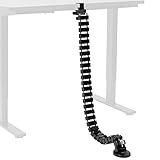 Clamp-on vertebrae kitCarries cords from the desktop to the floorView on Amazon
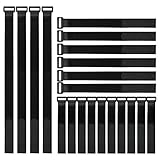 Reusable cable strapsBundle the slack so nothing tanglesView on Amazon
 Cable boxHides the power strip and its plugs on the floorView on Amazon
What adhesive can and can't hold
Stick-on products do most of the work in a no-drill setup, so it helps to know their limits.
- Cords are light. Adhesive clips and raceways hold them without trouble.
- A loaded power strip is not. It's heavy, and every time you pull a plug you pull on the mount. Put the power strip in a box on the floor or in a clamp-on tray instead of trusting tape with it.
- The surface matters more than the tape. Wipe it with rubbing alcohol and let it dry first. Adhesive grips smooth, sealed surfaces well and rough or dusty ones badly, and the raw underside of a particleboard desk is often rough.
- Pressure and time help. Press each piece firmly for several seconds, and if you can, leave it a day before loading it with cables.
- Heat works against it. Keep adhesive mounts away from power bricks that run warm.
Start with the power strip
Every cord on the desk ends at the power strip, so where it goes decides everything else. Without screws you have two good places for it.
The simplest is a cable box on the floor. The strip, the plugs and the spare cord all go inside, and one cord comes out to the wall. Leave some air around power bricks and don't cover the vents.
The other is a clamp-on cable tray, which grips the back edge of the desk and holds the strip up off the floor. Choose this one for a standing desk, because the tray moves with the desktop. Measure how thick your desktop is and check for a frame rail under the edge before ordering, since both can stop a clamp from fitting.
If you own the desk and a few short screws are acceptable, fixing the strip to the underside is the tidiest option of all: see how to mount a power strip under your desk.
If you'd like outlets you can reach from your chair as well, a clamp-on power strip does that without drilling. I compare it with the alternatives in how to add a power outlet to your desk.
Hide the long runs
For cords that travel along the underside of the desk or down a wall, use stick-on raceways. These are open channels: you press them in place and lay the cables in from the side, so adding or removing a cable later takes seconds.

YECAYE Cable Management, 6 Pack, Black | Cord Organizer;Adhesive Mount;No-Drill Under Desk Wire Management;for Home Office;Baby proofing
Six 15.7-inch channels with adhesive backing. The open side makes it easy to add or pull a cable later.
Pin down single cords
Clips are for the cords that go their own way: the charger cable that keeps sliding off the back of the desk, or the one wire that has to cross to a lamp. Stick a clip wherever a cord should change direction or stay within reach.

OHill 16PCS Black Cable Clips, Self Adhesive Cord Holder Cord Organizer | Residue-Free Strong Adhesive Easy Install, Keeps Charger Headphone Cord Clutter-Free for Home Office Desk Car Nightstand Wall
Sixteen peel-and-stick clips in several sizes, for anything from a phone charger to an ethernet cable.
From the desk to the floor
The cords that drop from the desktop to the floor are the ones everybody sees. A vertebrae kit gathers them into a single flexible spine. This one clamps to the desk edge, and because it flexes, it suits a standing desk too.

VIVO Clamp-on Desk Vertebrae Cable Management Kit | No Drill Cable Holder, Adjustable Quad Entry Flexible Cord Organizer, For Home Office, Black, DESK-AC01P-B
A flexible four-foot spine that carries cords from the desktop to the floor. It clamps on, so there's no drilling.
A cheaper way to get a similar result is a cable sleeve, a fabric tube that zips or wraps around a bundle of cords and turns five cables into one.
Bundle the slack
Loop whatever cord is left over and strap it. Reusable hook-and-loop straps are better than zip ties here, because you can open them when something changes instead of cutting them off.
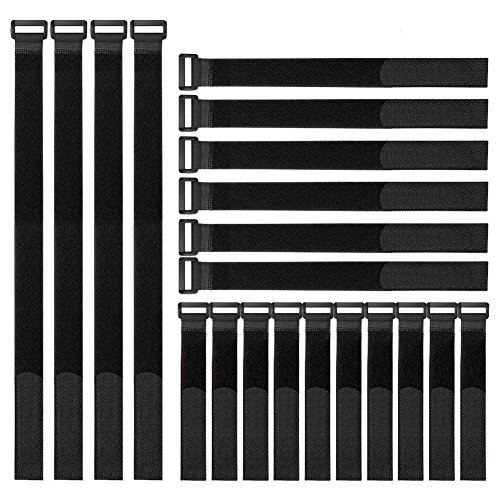
Similar to the ones I use
YiwerDer Reusable Fastening Cable Straps and Cable Ties Set 20 Pack(8"-12"-18"), Adjustable Multi-Purpose Hook and Loop Cord Ties to Keep Cords Organized and Tidy
Twenty hook-and-loop straps in three lengths.
Mount the small boxes
USB hubs, switches and other light boxes can hang under the desk on two-sided mounting tape or adhesive hook-and-loop strips. Hook-and-loop is the better pick for anything you may want to take down and put back.
Glass and metal desks
Adhesive holds very well on clean glass, but you can see it from above. Stick clips and raceways to the frame or the legs instead of the underside of the glass, and bring cords down a leg. Use clamp-on products only where the maker says they're suitable for glass.
Taking it all off again
When it's time to move out:
- Warm the adhesive with a hair dryer for a minute so it softens.
- Peel slowly, or slide dental floss behind the piece and saw through the foam.
- Rub off what's left with your thumb, then clean up with rubbing alcohol. Try the alcohol on a hidden spot first, because it can dull some finishes.
The full plan
These pieces work best as part of a plan for the whole desk: fewer cables to begin with, then a route for each one. My desk cable management guide covers that in eight steps, and every step except the drilling applies here.